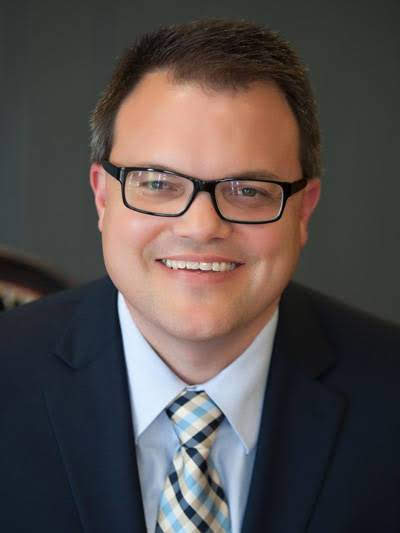
As we reboot Doing Social Studies, we’d love to introduce you to this month’s author, Nathan McAlister.
Nathan McAlister is the Humanities Program Manager – History, Government, and Social Studies with the Kansas State Department of Education. Prior to taking his current position Nathan taught middle and high school social studies for 24 years. Nathan’s past students have created and led several civic and historical preservation projects. These include three pieces of Kansas Legislation, a Civil War mural, a Civil War Veterans Kansas preservation project, many National History Day projects, and four award-winning Lowell Milken for Unsung Heroes projects.
In 2010, Nathan was named Kansas and National History Teacher of the Year by the Gilder Lehrman Institute for American History. Nathan has also been named a Gilder Lehrman Institute of American History, Master Teacher Fellow, Lowell Milken Center for Unsung Heroes, Fellow, and a George Washington Library, Lifeguard Teacher Fellow.
So, you need to design a CBA? You have an idea, check. You have an outcome the students need to meet, check. You even have the work days mapped and planned, check. But where do I find the necessary materials to either curate the sources myself or send the students to curate sources themselves? Additionally, if I am curating the sources can I use excerpts? Still further, if I use excerpts, how much is too much to cut? My goal, for this blog post is twofold. One, offer examples of websites to use in your classroom, and two, provide a few rules to guide your excerpting of documents.
It can be tough finding the silver lining in all the disruption to student learning and teacher professional development caused by COVID-19. But every once in a while, a little glint of silver appears. Professional earning opportunities that would not have been available face to face to us can be delivered virtually, opening up the chance to learn from all sorts of people sharing about all sorts of content.
Today, that sliver appeared to me.
Mark Nickel, Secondary Social Studies & World Languages director in the Wichita, Kansas school district, passed on some details about what sounds like an amazing learning experience. Together with the Gilder Lehrman Institute of American History, Wichita is sponsoring a virtual webinar entitled “The History of Race Relations in America: the African-American Experience.”
The webinar will include a live panel on Wednesday, July 29th, from 1:00-2:30 PM (CST). Thanks to the generosity of the Fred and Mary Koch Foundation, this learning opportunity is funded at no cost. The Webinar will feature a panel of three eminent historians who will examine the African American experience from 1492-1877, followed by a 30 minute live Q&A session. And you know it’s going to be good. What Gilder Lehrman stuff hasn’t been?
The webinar is designed for upper elementary and secondary school teachers in Kansas. There are even a limited number of $50 stipends that will be given to the first participants who register. (The announcement did make it clear that to be eligible for the stipend, you must attend the full session. Seems fair.)
Upon registering for the session, you’ll receive an automatic email with the Zoom registration link and a link to a Google Form. Participants can submit questions for the Q&A session using this form up until the start of the session. The panel will also be taking questions live.
All participating teachers are eligible to join a Gilder Lehrman Study Group– an online workshop led by GLI Master Teachers in the week following the webinar. This extended learning session is designed for teachers to digest lecture content, ask questions, learn from other teachers, and put pedagogic strategies into practice. The date and time for the study group is still up in the air.
This week’s post comes from Thomas Fulbright, current KCSS president and history teacher at Hope Street Academy, a public charter school in Topeka since 2008. Thomas intends “to spend my entire life convincing them how exciting and important history is.” His bio picture is daughter Claire and Thomas meeting President Lincoln.
In my last blog post, I shared with you a description of my pedagogical approach and provided an example. A quick refresher – at the start of the semester, students identify the purpose of learning history, (summary: they agree with George Santayana) then throughout the semester they do comparisons between policy debates of the past and policy debates happening today.
While some of these lessons are pretty easy to modify from semester to semester (there will always be debates over immigration, the connections may just be different), sometimes a major event requires the creation of a new lesson. My class spans the eras from Reconstruction through the Great Depression. It just so happens a current event which is drawing my students’ attention has a pretty good connection to the past.
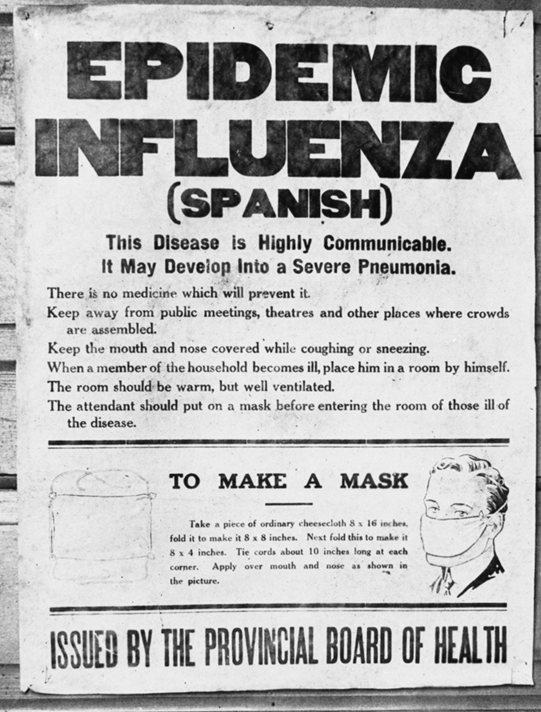
Previously, the Spanish Influenza was part of the larger conversation about the League of Nations’ clause about an international agreement to study and prevent diseases. But the development of the Coronavirus required the creation of a whole new “case study.” What I found during my research to create the lesson drove home the whole purpose of why we teach history and why I teach history the way I do.
The lesson I frantically pieced together over my spring break was intended to be used right after we returned to class. Students were going to study the debate over “closing orders” that were created in response to the spread of the “Spanish Influenza.” They were going to connect those arguments to today’s debate over social distancing and closing orders. Continue reading Those who cannot remember the past are condemned to repeat it.→
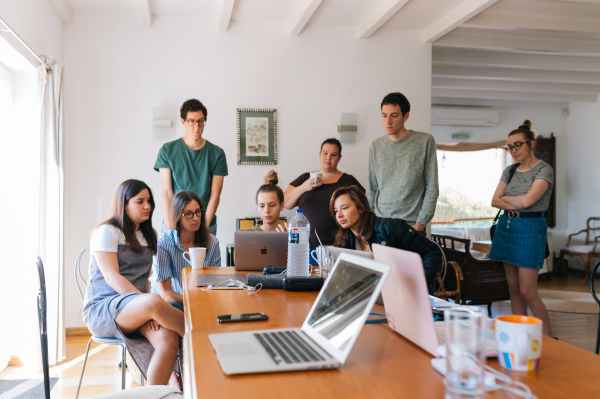
Whelp, teaching in Kansas and across the country has changed due to COVID-19. Governor Laura Kelly made the decision to close our physical buildings through the end of the school year, but her prioritizing safety did not bring an end to the education of our students.
Photo by Anastasiya Gepp on Pexels.com
If any state was ready to adapt to a change like this, it’s Kansas. Already in the process of school redesign, this is a challenge that Kansas is uniquely prepared to face. The Kansas Department of Education’s Continuous Learning Task Force set out guidelines for schools with the direction that districts should interpret them in the manner that will work best for their students. Most districts are taking this additional week following Governor Kelly’s announcement to make these decisions and meet with their teachers on what school is going to look like for the remainder of 2019-2020.
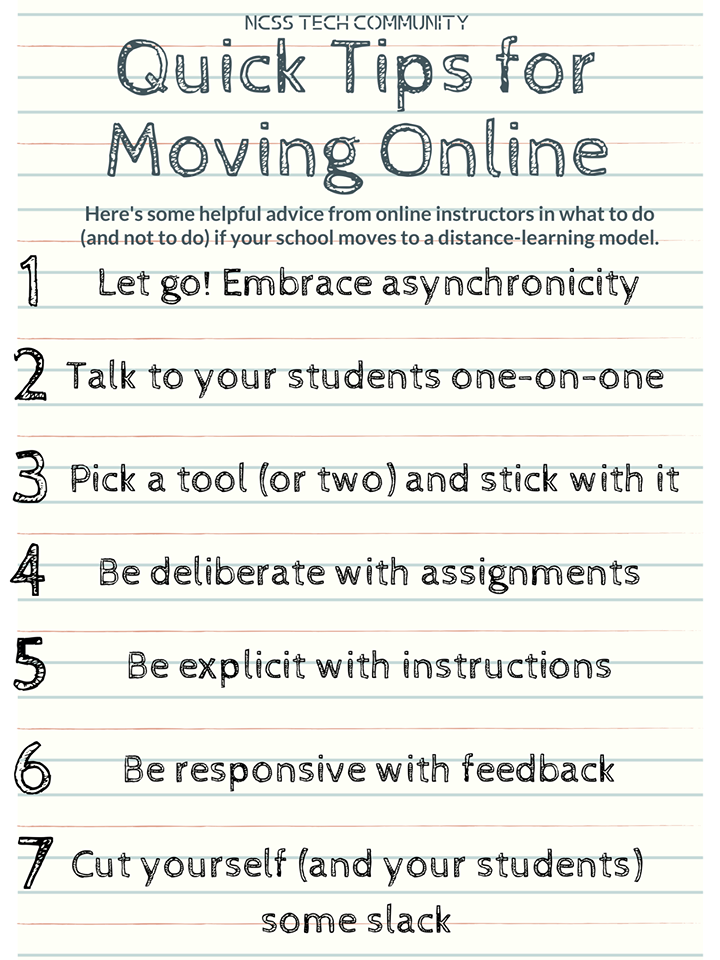
We’ve got this, and KCSS and Doing Social Studies is going to do all we can to help. The resources are coming at us like a fire hose, and that’s great, but we’ve got to be smart. The NCSS Technology Community has pulled on their experience and resources to come up with these tips as you wade into the new normal.
As your Doing Social Studies community figures out their own classrooms we’ll share with you what we’re doing and the resources that we’ve found the most helpful.
Lori Rice teaches fourth grade at West Elementary in Wamego and is the current Kansas Council for the Social Studies elementary teacher of the year. You can find Lori on Twitter at @MsLRice. She also blogs on all things teaching (not just social studies) at The Educator’s Room.
Our world is changing; looking different today than ever before. In this evolving environment it is more important today than ever before to develop citizens who are prepared to take on the challenges our society is dealing with. We need students who are able to understand the past and use this knowledge to apply, create and synthesize solutions for tomorrow.
In 1956 under the title, Taxonomy of Educational Objectives: The Classification of Educational Goals. Handbook I: Cognitive Domain, Bloom’s taxonomy was published with an idea of giving educators a common bank of items to be used in assessments. Forty-five years later, in 2001, this framework was reevaluated as Bloom realized it could reach beyond assessment purposes. He believed it could serve as a common language for learning objectives across curricular areas. During this time of revision a few of the categories shifted. “Understand” was a verb used over and over by educators so this replaced “comprehension” and with this the nouns were changed to verbs. Lastly, evaluation and synthesis switched places making synthesizing the highest level; however, it was changed to “create”.
Photo by Fox on Pexels.com
Bloom’s has been used across classrooms for years. Adding a layer of technology to this chart allows students to remember, understand, apply, analyze, evaluate and create in ways that are meaningful and fun. This increases the engagement and retention of ideas and content from the classroom. Here are a few apps and websites to check out for each classification of Bloom’s Taxonomy.
Remembering: Students can use Google Searches or Kids Safe Search by Google to allow them to find facts and information. Word clouds like word art, tagxedo, word salad app or word it out can be used for students to incorporate important vocabulary and main ideas. Within this classification students are finding, copying, quoting, memorizing, bookmarking and searching for information within your content area.
Understanding: Students can use apps here to show their knowledge including annotate app, Show Me app or online, Diigo to annotate notes, or Paper 53 for Sketchnoting. Student could also create an online bookmarking page for their topic using wakelet. Within this classification students are annotating, comparing and contrasting, tweeting, journaling and summarizing the information they have learned within your content area.
Applying: This classification is moving up in cognitive thinking and application of knowledge. Students can create podcasts, music using Garage Band or Soundstation as well as interview experts using Skype. Within this classification students are choosing, displaying, sketching, interviewing, presenting and reenacting to show their understanding within your content area.
Analyzing: Continuing to move up the cognitive ladder in this classification, students use their application to analyze information. There are many apps available for this area including google docs,mentimeter, Adobe Spark Suite and Evernote. Mind mapping is another useful activity within analyzing using kidspiration or popplet. Within this classification students are categorizing, linking, organizing, illustrating, explaining and advertising.
Evaluating: Students can use google doc for this classification, especially when sharing and collaborating together. Seesaw is an excellent resource for younger students to use as a digital portfolio where they can provide feedback on each other’s work. Edublog, Kidsblog or WordPress are sites and apps that students can use to blog. Within this classification students are arguing, testing, debating, experimenting, reflecting and commenting which allows them to analyze information against various criteria to demonstrate a deep knowledge of your content area.
Creating: Here is all about adding your flavor to your knowledge by putting it all together. Students can create videos with Inshot, iMovie, explore graphic and comic expression with Comic Life, Pixton, StoryBoard That, Seedling Comic Studio, as well as letting their imaginations explode with WeVideo and Skitch. App smashing is always a good option in this classification as students can create and showcase their ideas in multiple apps. Within this classification students are building, animating, collaborating, podcasting, programming and problem solving.
Classrooms are changing. Students are becoming more engaged and in charge of their learning. It is empowering to teach within a student centered classroom and facilitate learning in today’s world. Working through Bloom’s Taxonomy with your students will allow them to not only learn important facts, but to apply, analyze, evaluate and create. These skills will produce problem solvers, collaborators, and citizens who are actively engaged in their environment. It is more important now than ever that we have students who are able to understand the past and use this knowledge to apply, create and synthesize solutions for tomorrow.
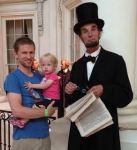 This week’s post comes from Thomas Fulbright, current KCSS president and history teacher at Hope Street Academy, a public charter school in Topeka since 2008. Thomas intends “to spend my entire life convincing them how exciting and important history is.” His bio picture is daughter Claire and Thomas meeting President Lincoln.